Where It's Going
Shaped by our beta testers: what comes next is guided by what they report from their own vehicles.
Where We Are
- LiveThe Web Dashboard (beta): every drive, charge and battery reading on a computer or a phone, from your own Google Drive. And with a Bluetooth OBD reader, your battery's own numbers, live.
- NewRange accuracy on climbs of 1,000 ft or more and on state routes, from owners' real drives, on Community Averages.
- In DevMore of your vehicle's own readings from the OBD reader, worked out from your drives (such as motor power, front and rear), on the vehicle and in the Web Dashboard.
- LateriPhone and Android apps for your own data, and home solar measured for each charge.
-
Now: 4.4Current
Your vehicle's paperwork, handled. Trips > Service keeps GM's maintenance schedule (tire rotation, cabin filter, brake fluid and more) against your odometer, and lists NHTSA's safety recalls for your model, checked every week, with a notification when something comes up. The Mileage Report turns your business drives into a PDF at your rate per mile, and Energy > Costs makes a Home Charging Reimbursement PDF for an employer that pays for charging at home.
-
4.3
From a driver's idea: the Battery Power graph can show your speed and efficiency too. Turn each on or off in Energy > Now, stacked on one time line or drawn over the power curve; the Drive screen shows the same choice. A drive's timeline in Trips adds an efficiency chart beside speed, battery power and battery. Since then, from the same driver: the Efficiency graph can average over the last 1, 5, 10 or 25 miles or the whole drive, plus clearer Spanish and French.
-
4.2
Backups that keep themselves current: Automatic Backup saves to your Google Drive when the vehicle starts and after every drive and charge, so your Web Dashboard always shows your latest. Google Drive keeps the newest 5 by default, each with everything in it (or pick 10 or 20). The OBD Reader pairs classic Bluetooth readers like the OBDLink MX+ itself. Since then: pausing and then switching the vehicle off ends the trip neatly at the pause, the status line reads "194 mi to empty", and on Home, Now Playing sits on the left, nearer the driver. From drivers' feedback: a stop in Park of up to 20 minutes with the vehicle left on stays part of the drive, and the OBD Reader's battery % follows the energy left from the first mile after a full charge. New with an OBD reader: Battery Awake Time, how long the battery system has been on.
-
4.1
The voice speaks Spanish and French too: Ask Your Vehicle, Read It to Me, Backseat Driver, EV Radio and alerts use your vehicle's Spanish or French voice when it has one. Ask Your Vehicle understands questions in Spanish and French, and AI answers come back in your language.
-
4.0
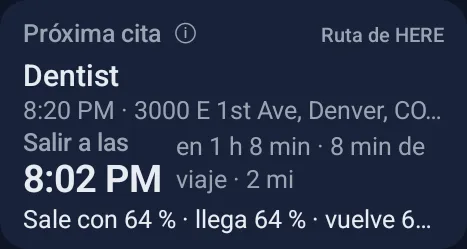
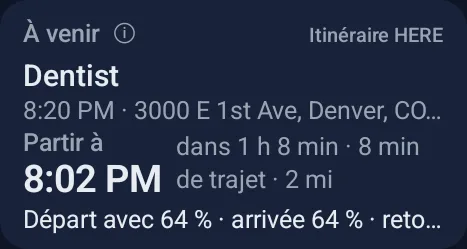
EV Control Center in English, Español and Français: every screen, Help and What's New follow your vehicle's language, set in your vehicle's own settings. The Web Dashboard speaks all three as well: pick one in its menu. Spoken words stay in English for now. Also: road reach on interstates matches your real highway speeds more closely.
-
3.16
Record Extra Values While Driving: after a Look for More Values search, the OBD Reader also reads the values it found while you drive, a few at a time, and keeps them in your own backups, so more of your vehicle's values can be worked out and shown in the app.
New: the Web Dashboard (beta). Sign in with the Google account your vehicle backs up to and see every drive, charge and battery reading on a bigger screen, on a computer or a phone: interactive charts where everything opens what it refers to, every drive on a map, Real Range Today for the conditions you pick, charging habits and costs, a Year in Review, battery health, Unusual Events, your OBD readings, a printable report for your dealer, and Ask an AI About This with your own key. Your backups are read in your browser, straight from your own Google Drive.
-
3.15
Look for More Values: parked, the OBD Reader asks each part of your vehicle which values it shares, read-only, so more of them can show in the app once they're matched with known readings. Since then: drives that went nowhere (0.0 mi) are removed from Trips by themselves.
-
3.14
The battery, live, from a Bluetooth OBD reader: plug one in and the app reads the battery's own percentage, power, pack voltage and current and every battery module's temperature about once a second, read-only. It reconnects by itself whenever the vehicle is on, and Home shows the battery's own reading while it reads. The readings are kept in your own Google Drive backups. Also: a drive with a break in its recording is split in two, its timeline shows the break, and recording starts again by itself after an app update.
-
3.13
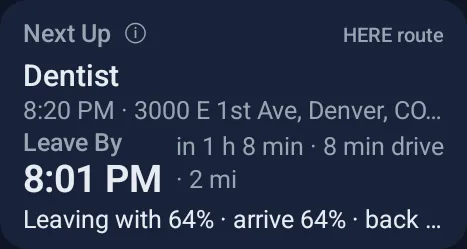
Your day at a glance: tap Next Up on Home for the Agenda, every appointment with the drive there, when to leave and your battery on arrival. Each drive starts at the appointment before, so the afternoon's figures follow your day, and Battery Through the Day shows your battery dropping drive by drive against your reserve. Ask "What's on my agenda?" to hear it. Since then: the Finish Drive card comes up a second after you shift into P, and Next Up's battery on leaving stays current, even while charging. Energy > Tips now has tips from your own driving, beside general tips for any electric vehicle. The map's road reach is more accurate at highway speeds. New in Diagnostics: plug in a Bluetooth OBD reader to see what else your vehicle shares, read-only: the battery's own percentage, pack voltage and current, temperatures and the odometer.
-
3.12
Your say on chargers: give any charger a thumbs up or down, and a thumbs down keeps it out of your trip plans unless it's the only one in reach. After a public fast charge, How Was Your Charge? shows how fast it really charged against the station's listed power and your own best. While you charge, a notification shows the battery toward your limit, the power and its peak, and whether it's charging as fast as usual. Saved vs Gas this month is now on Home. Also: Charcoal, a black, white and gray color style, and larger text throughout, sized for your vehicle's screen.
-
3.11
Times the way your vehicle shows them: every time in the app follows your vehicle's clock, 12-hour (5:30 PM) or 24-hour (17:30), in Trips, your monthly report, charging costs and peak hours, Insights, the map and Next Up. Your trip history stays complete, Add Missing Trips brings back trips from an older backup, and the time to your charge limit follows the charging power right now.
-
3.10
An even truer reach: roads the traffic data reports as closed are left out, and gravel and dirt roads count as slower and take more energy, on top of your driving, the terrain, the weather and traffic. Home Solar: enter your system and see how much of your home charging it could cover. Owners can also share how accurate their range was on each kind of drive, for our published highway and mountain results.
-
3.9
Chargers along your route: when a trip needs a charging stop, Check the Route finds every fast charger within about 2 miles of the road you'll drive. Each charger's card now says when it's temporarily closed (and when it should reopen), when it's for customers only, when there's room for large vehicles and trailers, and its phone and website. Energy > Costs lists your state's and federal EV incentives and laws, with their sources.
- BetterSettings > Units > Speed Shown: your actual speed, which matches GPS within about 1%, or the same number as your speedometer. The media tile says On a Call during phone calls, and the street map reads clearly at night.
-
3.8
A Report for Your Dealer on Energy > Battery: charging problems, unusual battery drain while parked and sudden battery level drops, each explained plainly, on one page you can show or email your dealership. Richer maps: tilt the map toward the horizon with the new 3D button (on Map and on the Drive map), 3D buildings when you zoom in on a city, and hill shading that shows slopes and mountains at a glance, each a layer you turn on or off.
- BetterThe range leaves out drives with impossible power readings instead of counting them as free miles, and a new tip explains why regen is weaker right after charging to 100%.
-
3.7
Live Share: let family or friends follow along on their phone, from your own Google Drive, with or without a map; it ends by itself. Community Averages: see how vehicles like yours do in the cold, the heat and on the highway, and share yours anonymously if you like (see the averages). Places on the map: landmarks, food and coffee, hotels and camping, parks, shops, restrooms, hospitals, parking and transit, each on or off. A default purpose for your drives, offered already picked when a drive ends; tag many drives at once in Trips (Select All included), and count many drives in the range, leave them out or delete them in one tap in Settings. Tap the speed on Drive to switch between miles and kilometers. New icons throughout.
- FixedThe map shows only the drive in progress once you start driving, and Trips keeps its place when you go back from a drive.
-
3.6
Pause and Resume on Drive: while paused, nothing is recorded or tracked. When a drive ends, tap what it was for (Business, Personal, Commute or Other) for your trip logbook. Energy > Lab counts every mile by road type: Interstates, highways, state routes and local. Next Up reads several calendars. Delete a drive or charge from its page in Trips. Fixed: after Keep Driving or a longer stop, the next part of the drive no longer shows energy use as regen.
- BetterSettings stay in place at a light (they gray out instead of jumping), Finish Drive asks right away what the drive was for, and Driving Forces shows the push you feel.
- BetterAt This Pace starts from your usual pace and trusts the drive more with every mile (tested on real drives: about half the error).
- BetterEvery screen (Help, Trips, Map, Energy, Diagnostics) stays in place at a light too.
- BetterWork as a charge place (your work price, or Free at Work), a charging curve on each charge in Trips, your 10-80% fast-charge time estimated from your own fast charges, and your usual efficiency compared with the EPA rating.
-
3.5
Round trips: plan charging for the way there and the way back together. Use Another Charger under any planned stop plans again without it. Road maps for Canada's provinces, so road reach works across the border too. Energy > Now: efficiency over the last 1, 5, 10 and 25 mi, and At This Pace from the whole drive (tap it for the others). A spot with no roads nearby on the road map no longer reads Out of range.
-
3.4
AI answers from Grok (xAI) and Muse Spark (Meta) too, with your own key, next to Claude, ChatGPT and Gemini; like the others they search the web for news and other current questions. Questions that aren't about your vehicle go straight to your AI.
- BetterEV Control Center never plays, pauses or switches your media by itself, only when you tap its media buttons.
- BetterSmoother name entry on first start, Parking Mode after a drive, and faster Help.
- BetterThe map on Drive gets zoom, heading or north up, and its own layers; Energy > Now shows how far the battery goes at this pace.
- BetterTesla-only Superchargers stay out of your plans; plus Skip a Stop, saved places and chargers in Canada.
-
3.3
Road reach worked out on the vehicle itself, across state lines, from road maps that download by themselves (every state within about 400 mi of home and 150 mi of where the vehicle is); your position isn't sent for it.
- BetterThis Drive's efficiency follows the recorded drive, whose energy matched the battery's own reading within 0.4% over 212 mi of real drives; the map colors your drive's track as you go; and "What's new in the app?" is answered by voice, also while driving.
- BetterFeedback you send includes recent media events (never song titles).
- BetterWith Keep Driving, the stop counts as parked time, so a stop with the climate on no longer lowers the drive's efficiency; the drive shows it apart.
-
3.2
AI answers: questions the app doesn't know go to your own Claude, ChatGPT or Gemini, with your vehicle's figures, read aloud.
- BetterAdd your key from your phone through Google Drive.
- BetterAsk anything (news with a web search), and Search for an address on the map.
- BetterKeep Driving, so a stop at a gas station or for a coffee doesn't have to end your drive.
-
3.1
Accuracy by kind of drive: local, highway and climbs, with GM's own figure side by side, in Energy > Lab.
-
3.0
Help: a visual guide with real pictures of every screen; tap a number to learn what it does, or open that screen. Read aloud, searchable, and a 1-minute tour.
-
2.10
Road trips with private QR sharing; road maps for all 48 contiguous states and DC.
One App, Three Languages